Product
At Frugal one of my jobs is to act as the FinOps engineer for our team, and today's post is about using Grok bot to help me with some of those responsibilities.
Like most organizations, we have plenty of cloud cost data. What we don't always have is that data reaching the right people at the right time, in a form that lets them do something about it. Finance wants the monthly number and what it means. An engineer wants to know which fix is theirs. Leadership wants to know whether any of it is working. Gathering the data from the various places it lives, joining it and filtering it to what matters for a given audience is work, work that wasn't getting done at all at Frugal.
Grok bot's pitch is "AI teammates that finish the work." So one morning I made a coffee and sat down to see whether Grok bot could help me communicate and act on cloud cost across Frugal. I recorded the session, and this post walks through what I set up: three bots, five workflows, one morning.
Watch the session: https://youtu.be/dtQ7NqMeSpo
Bot 1: the monthly cloud bill summary for finance
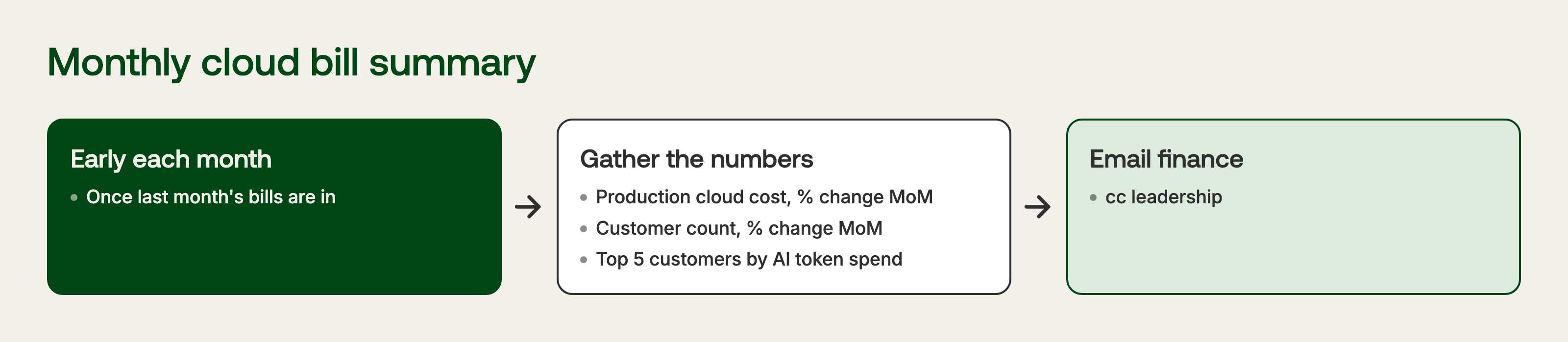
The first one is for our finance team and leadership. Early each month, once the previous month's bills have issued, they get an email with:
- Total cloud cost across our production services, with the change from the previous month
- Our current number of customers, with the change from the previous month
- A table of the top five customers by AI token spend
That last one comes out of Datadog. I told the bot which metric to use (frugal.task.token_costs), to filter it to env:production, and to group it by kube_namespace for the previous month. That was all it needed. Being specific up front saves a lot of back and forth later.
I asked to see a sample before anything was scheduled. A few minutes later it landed:
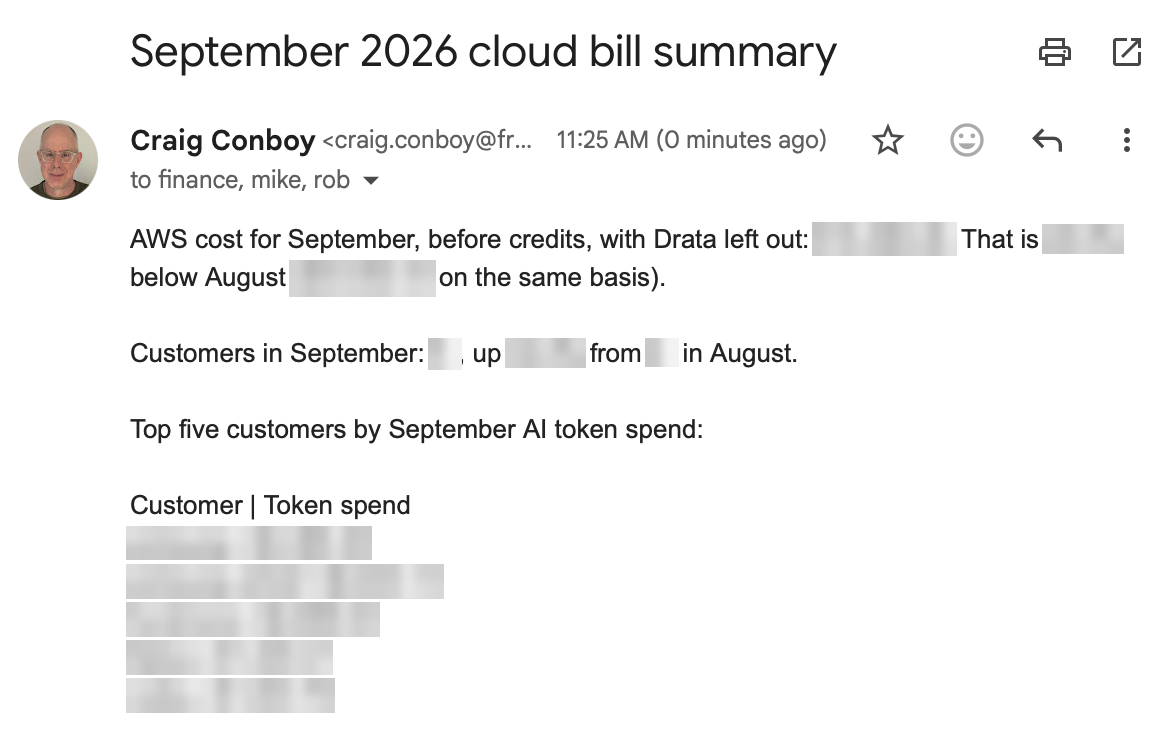
The email looked right, I approved it, and it went on the schedule.
Bot 2: optimization tracking
The second bot is the one I care about most. Its job is to make sure the right people know about cost-saving opportunities and actually make progress on them. It has three workflows: get savings to their owners, keep them moving, and recognize the people who land them.
Getting new savings to their owners
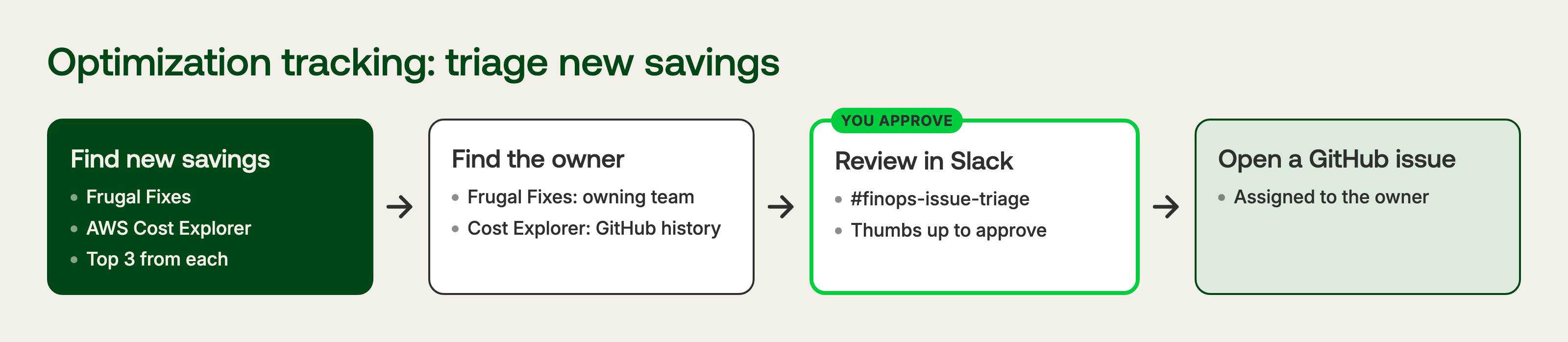
At a high level: find new cost-saving suggestions, find the owner of each one, give me a chance to review them in Slack, and open a GitHub issue assigned to the owner for each one I approve.
The bot's first question was a good one: where do the suggestions come from? I gave it two sources. AWS Cost Explorer usually has a few recommendations, and Frugal Fixes has the ones that trace back to our code.
Ownership is the harder part. Frugal Fixes already carry the owning team or individual for the component, so that's easy. Cost Explorer recommendations don't come with an owner, so I asked the bot to dig through GitHub and propose one. Reviews happen in #finops-issue-triage.
The first draft had too many items on it. Nobody wants a wall of recommendations on a Monday, so I asked for the top three from each source. Here's the first run:
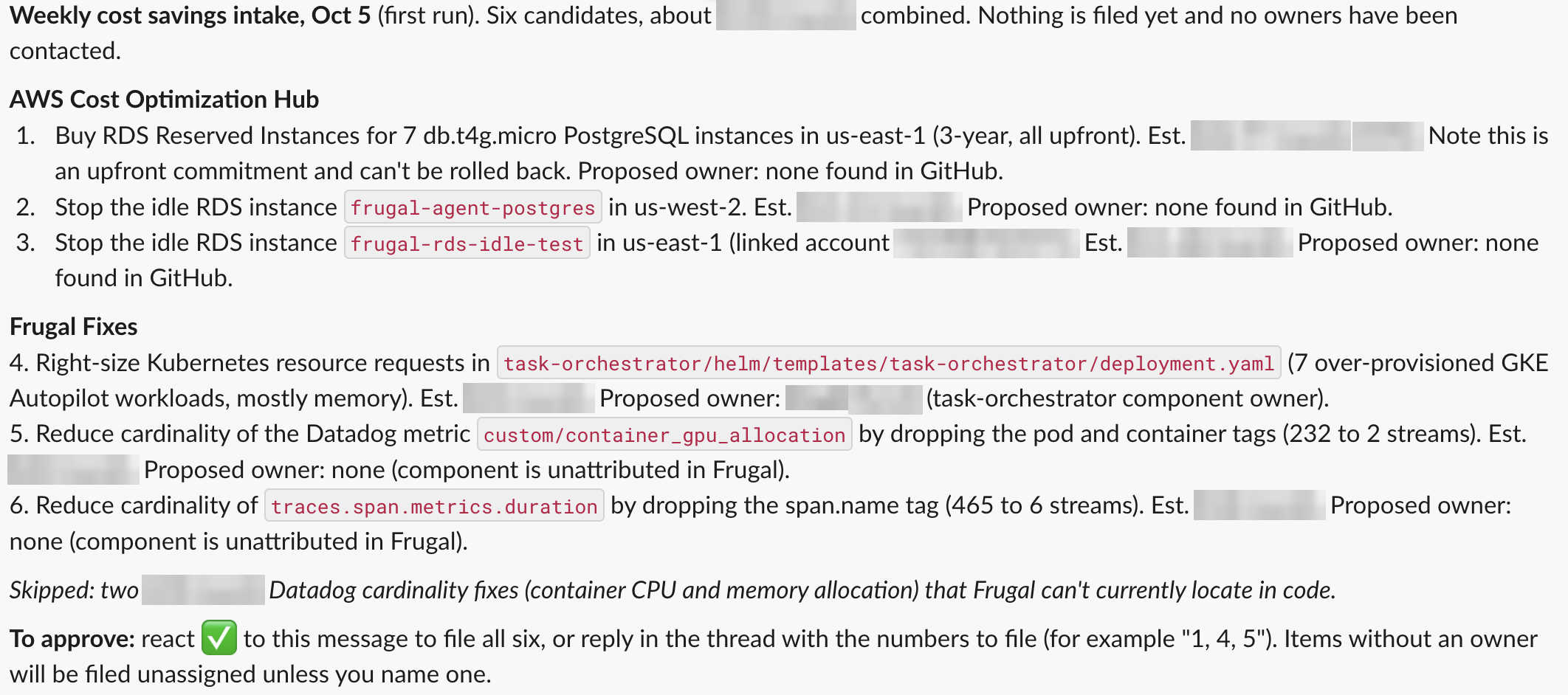
A tick on the message files all six, or I can reply with the numbers I want. It's the kind of small, unglamorous step that used to be me copying text into GitHub by hand.
It's also honest about what it couldn't figure out. None of the AWS recommendations turned up an owner in GitHub, so that part needs a bit more work. Two of the Frugal Fixes sit in components that aren't attributed to anyone yet, but I know who should own those, not a problem to nominate the owner in the review step. This bot is working but probably needs a few more turns to get really working well.
Keeping fixes moving
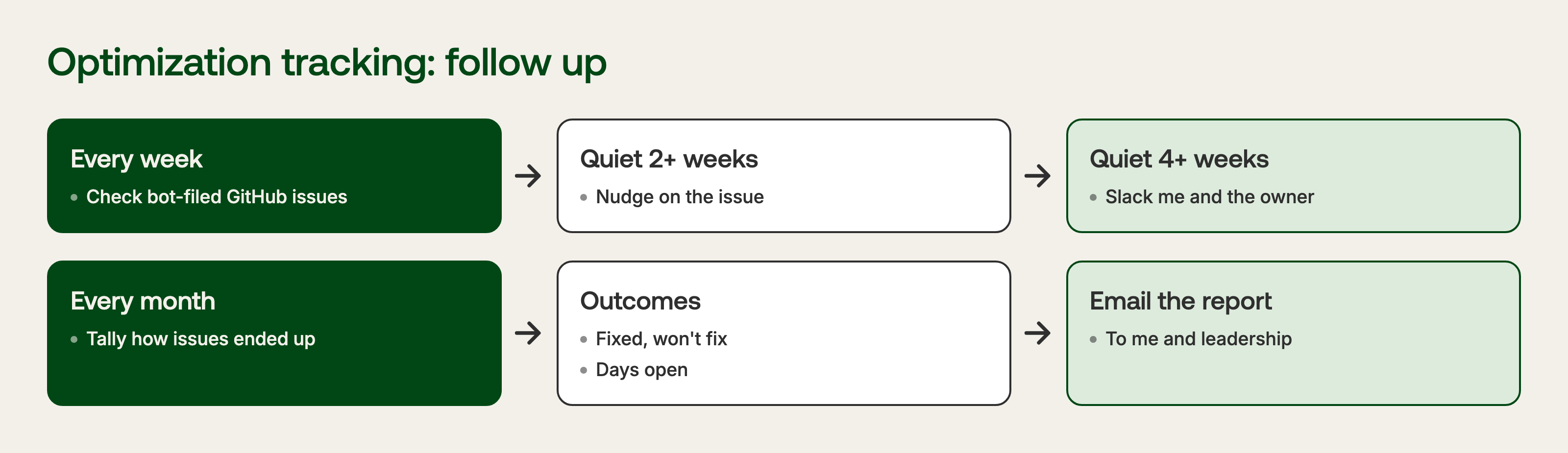
Filing an issue is the easy part. The second workflow checks in once a week on every issue the bot created:
- Quiet for two weeks, with no comments or action: it adds a nudge to the issue.
- Quiet for four weeks: it sends a Slack message to me and the issue owner.
It also keeps track of how each issue ended up (fixed, won't fix, days open) and emails a summary to me and Rob once a month. That's the report I'd otherwise build in a spreadsheet and probably not get around to.
Recognizing cost wins
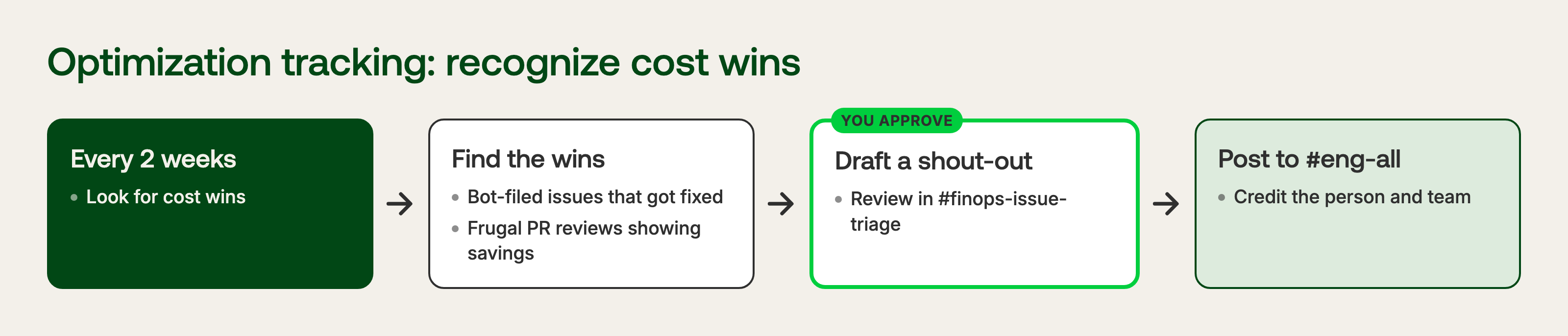
Engineers hear about cloud costs when something goes up. They rarely hear anything when they bring it down. So the third workflow watches for changes that reduced our costs: bot-filed issues that got fixed, and Frugal PR reviews that show a cost reduction. Every couple of weeks it drafts a shout-out, sends it to #finops-issue-triage for my approval, and posts it to #eng-all once approved.
On the first pass it found nothing to celebrate. No PR reviews with cost wins yet, and no bot-filed issues closed, since they'd been filed that morning. It saved the spec for when there is something. Fair enough.
Bot 3: a report for one team

The last one is narrow on purpose. The team that owns our task orchestrator does a lot of AI spending in their components, and a general cost report doesn't tell them much. What they need is AI spend for their components and the code driving it.
Frugal already breaks AI costs down by component, so the bot takes the processing-engine and task-orchestrator components, finds the top five call sites driving those costs, and posts a short message to #ask-task-orchestrator once a month.
This is the one that would never have happened by hand. A report built for a single team, every month, is hard to justify when it's your time. When the bot does it, the bar for "worth tailoring" drops a long way.
Publishing
With everything reviewed, I told it to publish. It worked through some publishing difficulties, and then confirmed what was running:
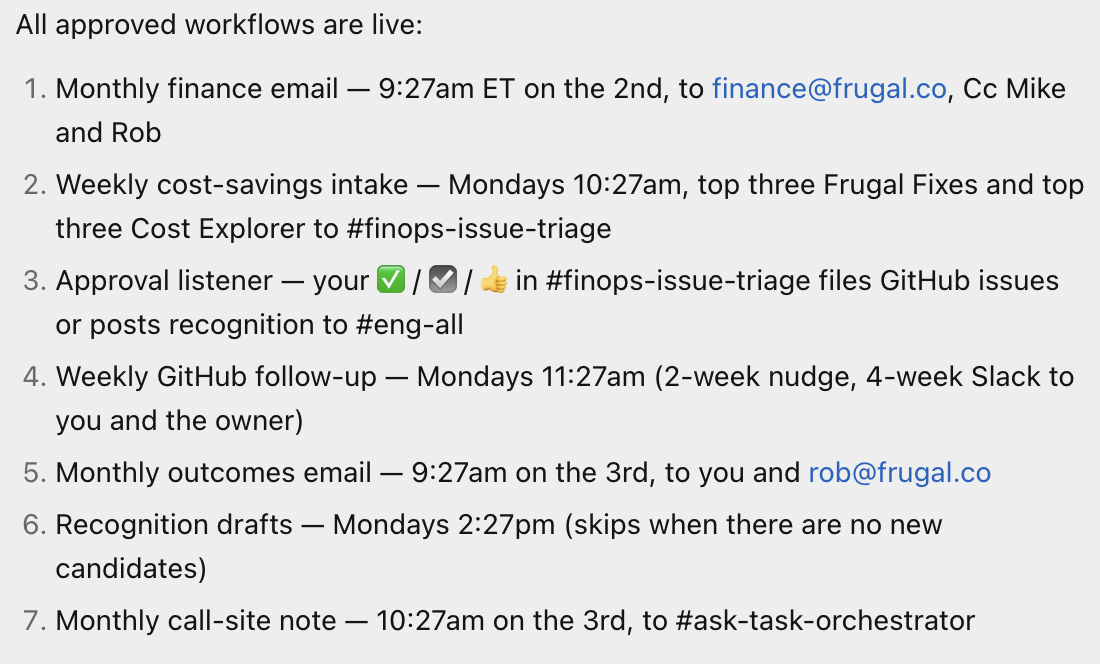
Seven scheduled jobs out of what I'd described as five workflows. The approval listener and the monthly outcomes email got their own routines. Its own summary a few minutes earlier had been "three bots, four workflows, not bad for a morning." The count drifted a bit, but the morning part held up.
The takeaway
Communicating cloud costs in a way that's tailored to each audience, and actionable for them, is a big part of the FinOps engineer's job. It's also the part that doesn't scale. There's one of you, and every audience wants something different.
What surprised me is how little of this was hard. Grok bot, or any AI agent like it, can do this work well, as long as you can connect it to your systems. Most of the morning was me describing what each audience needed. The agent handled getting the data from AWS, Datadog and Frugal, finding owners in GitHub, and delivering through Slack and email. By the end of the morning, finance, fix owners, the whole company and one engineering team each had their own view of our cloud costs, on a schedule, without me in the middle of every one.
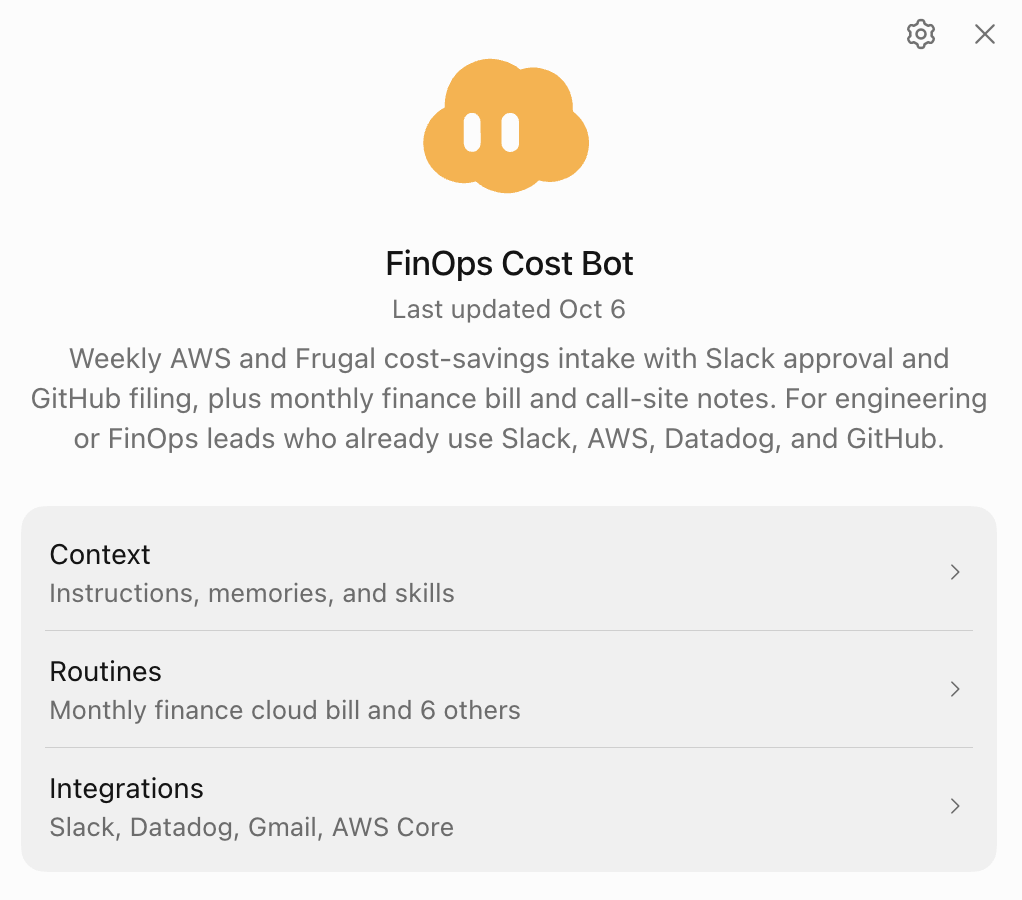
If you want to start from what I built, I published it as a Grok bot template: FinOps Cost Bot. It comes with the instructions, memories, skills and seven routines. Connect your own Frugal, AWS, Datadog, Slack and GitHub, point it at your own channels, repos and recipients, and then start trimming it to fit how your org works.
Looking for help scaling cost engineering across your org? Book a Demo to see Frugal in action. Frugal attributes cloud and AI costs to your code, finds inefficient usage, provides Frugal Fixes that reduce your bill, and helps keep you out of cost traps for new and changing code.